04Personal project2026In use
Vitto Standby
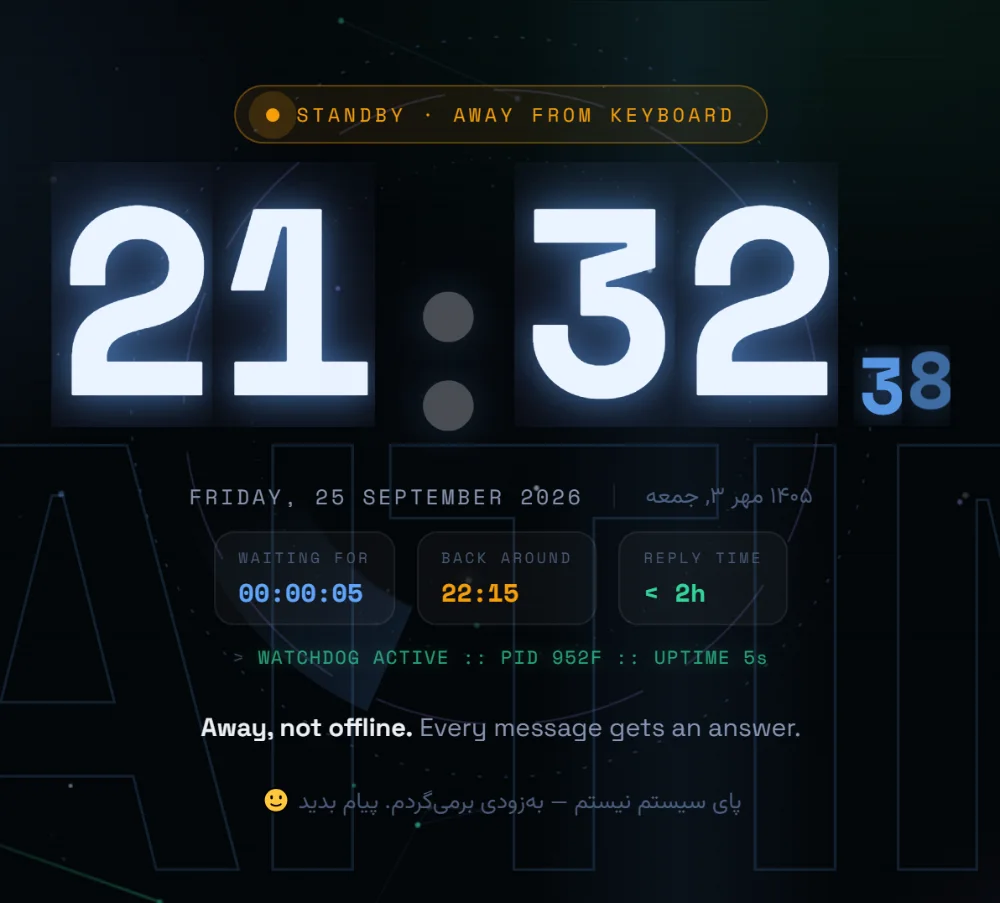
A lock screen for when I step away. It knows my face, and it knows that a photo of my face isn’t me.
- Role
- Brief, product decisions, testing, including trying to fool it
- Built
- Sep 16, 2026 – Sep 18, 2026
- Type
- Personal project
- Status
- In use
- Stack
- face-api.js
- JavaScript
- Canvas
- Python
- PowerShell
When I leave my laptop, the screen locks itself, watches the camera and warns anyone who touches it. For me it stays quiet.
Built with AI coding agents, under my direction. How I work
In numbers
- 3angles to unlock
- 5samples to learn a face
- 0bytes sent anywhere
What it does
- Opens by itself after a set number of idle seconds (thirty by default) or from a desktop shortcut.
- While it is in front, a keyboard guard blocks the Windows key, Alt+Tab, Alt+F4 and the Task Manager shortcut. Ctrl+Alt+Del can’t be blocked, because Windows reserves it, so it is a deterrent and says so.
- Face unlock needs three confirmed matches from different angles. A passcode always works, and wrong guesses cause a short lockout that is never permanent.
- Optional silent camera recording and touch or proximity alerts. Clips and settings stay on the laptop.
The photo problem
The first version unlocked when I held up a photo of my own face on my phone. Three checks fixed that:
- Liveness: a real blink and a real turn of the head, measured against my own open-eye baseline rather than a fixed number.
- Screen detection: a re-photographed screen loses fine skin texture and shifts toward the colour of its backlight. OLED shows true black while LCD lifts it, and every display leaves a pixel-grid pattern the camera picks up.
- A light check: the screen flashes, and the “face” has to reflect it the way skin does.
How it works
The lock screen is a web page running face-api.js on models stored locally. A small Python server on localhost gives it the camera, since browsers only allow that on a secure origin, and saves clips and settings. PowerShell watches for idle time and installs the keyboard hook. My face is stored as a set of numbers, not a photo, and the passcode only as a salted SHA-256 hash.