01Personal project2026Shipped
RemoteDesk
My laptop on my iPhone: video, touch, keyboard and files, through servers I run.
- Role
- Brief, product decisions, testing on iPhone and Windows, server setup
- Built
- Sep 9, 2026 – Sep 15, 2026
- Type
- Personal project
- Status
- Shipped
- Stack
- WebRTC
- Electron
- Node.js
- Cloudflare Workers
- Durable Objects
- PWA
- koffi · SendInput
- coturn
I wanted something like AnyDesk, only mine: no third-party service, no account, no telemetry. The phone gets the laptop’s screen in real time and can drive it. The servers only introduce the two ends.
Built with AI coding agents, under my direction. How I work
In numbers
- 1080p · 55–60 fpson a local network
- 219 msfallback relay, instead of 600 ms
- ≈120 mssaved by not lip-syncing the stream
How it fits together
The iPhone runs an installable web app. Windows runs an Electron agent in the tray that captures the screen and clicks and types through SendInput, the same path a real mouse and keyboard take, so no application can tell the difference. A signalling server introduces the two; after that, WebRTC carries H.264 video straight from one machine to the other, with input on a data channel.
Latency first
- H.264 goes first in the codec list. The iPhone decodes it in hardware. That is the difference between a cool phone at 60 fps and a hot one dropping frames.
- Video and audio travel as two separate streams. In one stream the receiver lip-syncs them, holding every frame until its audio is ready: about 120 ms of lag for nothing. Nobody needs a lip-synced mouse pointer.
- Bitrate caps are generous on purpose. A low cap makes WebRTC pace a 200 KB keyframe out over a second, and every frame behind it waits.
- System audio is captured in stereo with the voice pipeline switched off. Echo cancellation and noise suppression are right for a microphone and turn music into nothing.
When the direct path fails
Some mobile networks won’t let WebRTC through, and the only free TURN relay reachable from here measured 600 ms. So there is a second transport: the encoded screen goes up the signalling socket, which is already open and authenticated, and is fanned out to the phone at the edge. 219 ms instead of 600.
The edge version is one Cloudflare Worker plus a Durable Object that hibernates, so a PC that stays connected all day costs nothing while idle. Where that object lives decides the ping: the Worker answered 3 ms from Tehran, but the first Durable Object landed 95 ms away. A location hint only applies when an object is created, so the hub’s name carries its region. And only STUN servers that actually answer from this network are listed, because ICE waits on every dead one.
Made for a phone
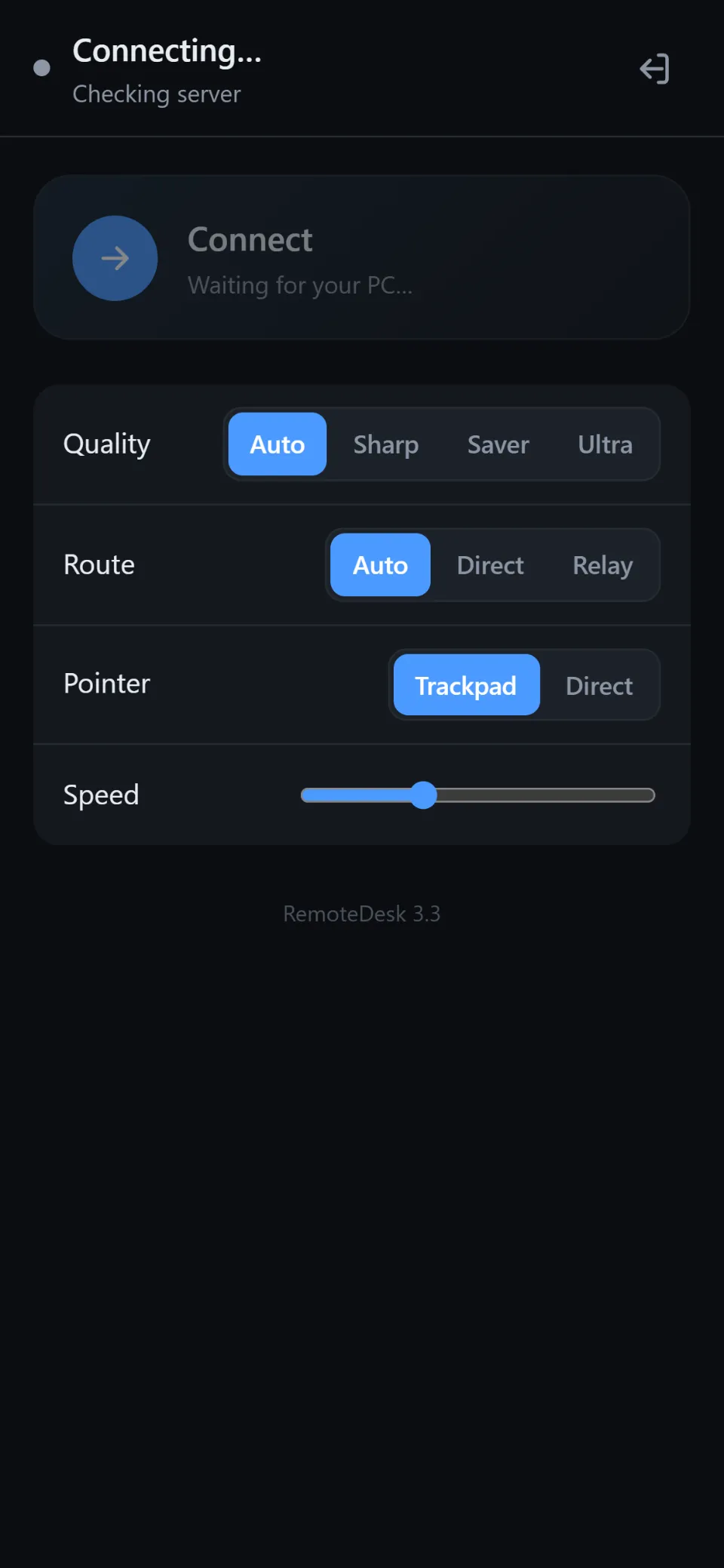
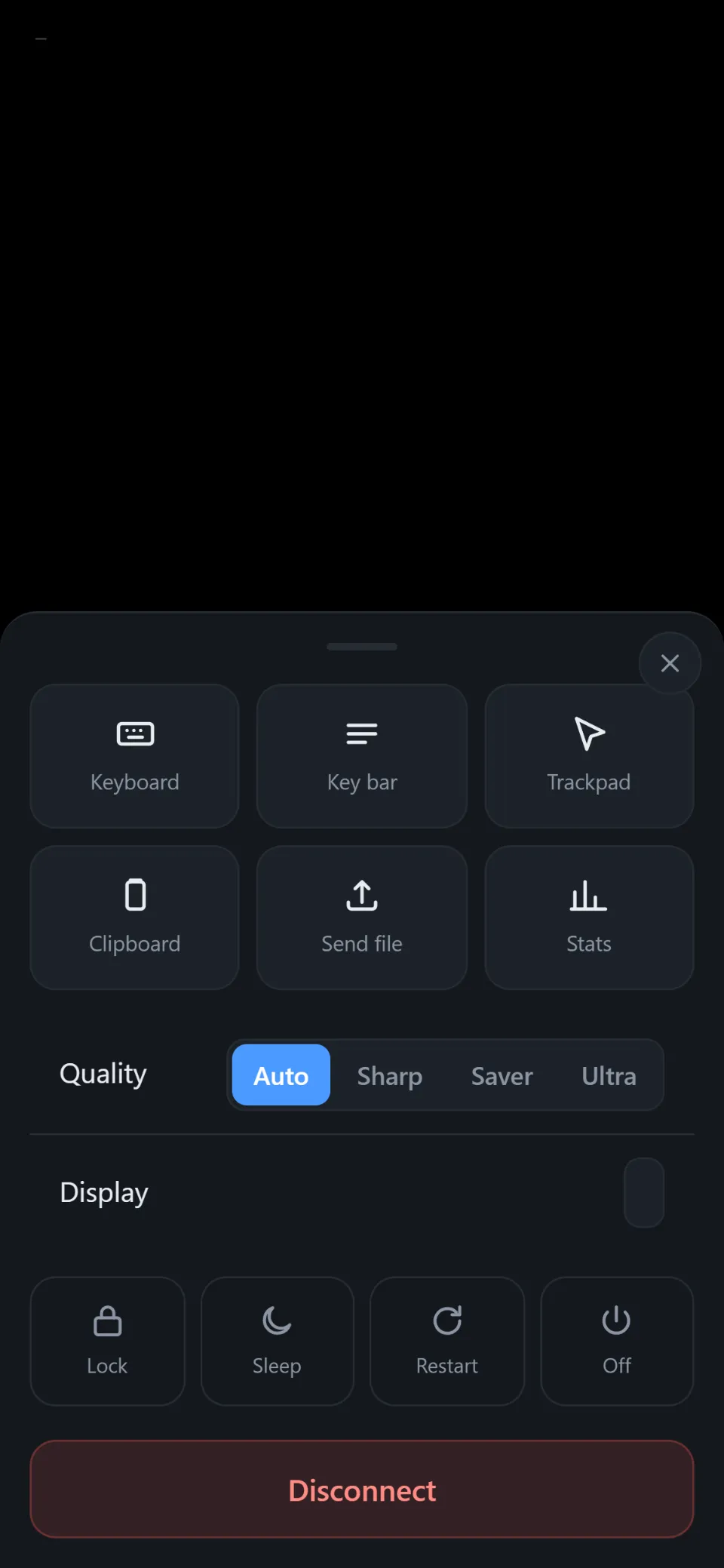
- Trackpad or direct-touch mode, two-finger right click and scroll, pinch to zoom.
- A key bar with latching Ctrl, Alt, Shift and Win. Copy and Paste send Ctrl+C and Ctrl+V to the PC, so iOS clipboard permissions never get involved.
- Four quality presets. Three hold resolution and drop frames under pressure; Ultra, for bad lines, does the opposite (960×540 at 600 kbit/s), because a soft picture that follows the cursor is usable and a sharp one a second behind is not.
- Stereo system audio, files in both directions, and latency on screen the whole time.
Safety
- One password for the phone, one token for the PC, and TURN credentials that expire with the session.
- Remote control is a switch on the PC. Turn it off and the phone can watch but not touch.
- Held keys and mouse buttons are released when a session drops, so a lost connection can’t leave a key stuck down.